
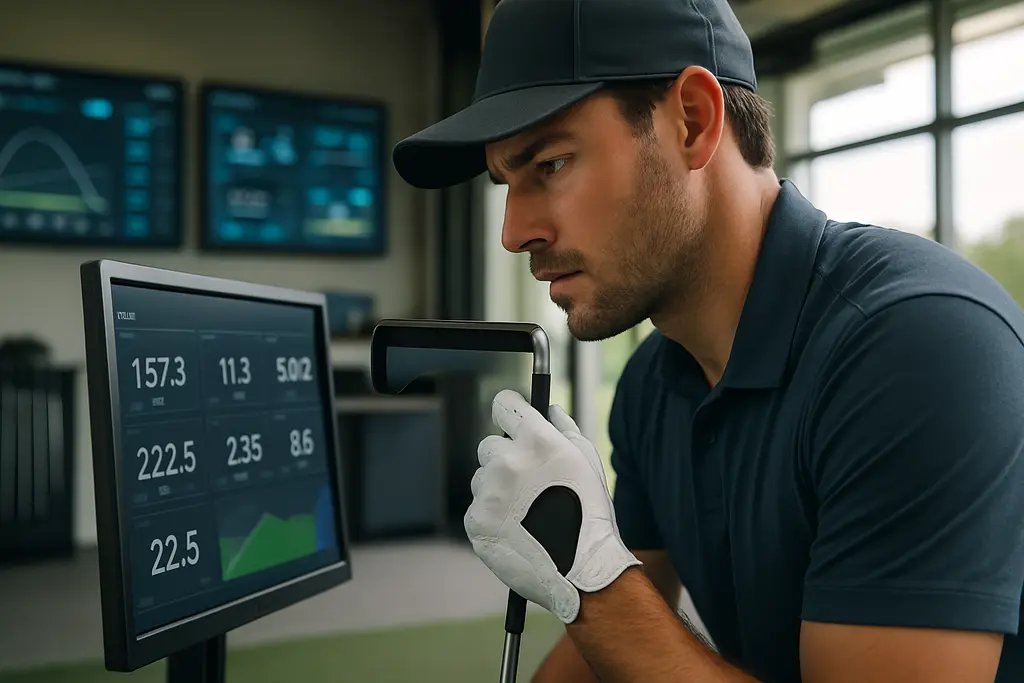
The Foresight+ ecosystem matters because it moves Foresight Sports users closer to one account for simulator play, launch-monitor data, mobile practice, course tools, and personal preferences. For golfers who are getting started with launch data, that account structure is more than a software change. It can make practice easier to read, easier to repeat, and easier to connect to a fitting conversation.
As a fitter, I do not judge a platform by how impressive the screen looks in the bay. I care about whether a player can understand the data, compare clubs without guessing, and bring useful notes back to the next session. Foresight+ was launched in September 2026 as a membership-based system that unifies Foresight Premier, the mobile app, course play, data, and preferences under one account, according to Loop Golf’s launch report. That is the key practical shift.
What The Foresight+ Ecosystem Combines
Foresight+ Ecosystem Account Benefits
The account-based setup is useful because many golfers do not practice in one place. A player may test a driver in a fitting bay, work on wedge carry numbers at an indoor studio, and review notes later from a phone. If those sessions live in separate software pockets, the golfer often remembers only the best shot and forgets the pattern. The Foresight+ ecosystem is built to keep software, data, and preferences tied to the player rather than only to a device.
That matters for beginners and improving players because launch-monitor numbers need context. Ball speed, launch angle, backspin, sidespin, path, and dispersion are not useful as isolated trivia. They become useful when they show a pattern: a driver that launches too low, a 7-iron that overlaps a hybrid, or a wedge matrix that has two clubs doing the same job.
Foresight+ also connects to Foresight Premier, the PC simulation platform introduced with the launch. The research notes state that Foresight Premier consolidated FSX Play and FSX Pro into a single PC simulator platform, with full rounds, tee boxes, elevation data, green contour visualization, and pin placement. For a golfer using simulation as practice rather than entertainment only, that can help connect launch data to a more course-like decision.
Compatible Launch Monitors
The supported hardware named in the research includes GCQuad, QuadMAX, GC3, and Falcon. Foresight’s own simulator product page also references these devices in the context of simulator packages and software access through Foresight Premier or the mobile app depending on membership level; see the official SIM IN A BOX Custom page. The practical point is simple: the platform is aimed at golfers who already own, or are considering, Foresight Sports hardware.
That does not mean every golfer needs this type of system. A new player hitting balls once a month may not need unlimited history, course overlays, or advanced comparison tools. A golfer taking lessons, testing club changes, or building a home simulator has a stronger reason to care. Software value rises when the player has a plan for using the data.
Practice Data That Can Support Better Fitting
Session History And Pattern Tracking
The Free tier in the research notes includes basic views, core data, and 10 sessions of history. Silver, listed at US$199 per year, adds unlimited history, dispersion and tags or zones views, basic drills, and Course Pass eligibility. Gold, listed at US$599 per year, adds swing video capture, multiple profiles, real-course overlays, club comparisons, and third-party integrations. Prices and features can change, so golfers should verify terms before subscribing.
From a fitting standpoint, session history is one of the most useful parts. One driver test can fool you. Ten swings with a new shaft can look promising if the best two are excellent. A longer record can expose whether the club still performs after the player tires, changes tempo, or misses the middle of the face. That is where dispersion and tags can carry more weight than one high ball-speed number.
Tags and zones also help organize practice around real problems. A player who tags shots by club can see whether the issue is a single club, a gapping problem, or a swing pattern that shows up across the bag. If the 5-iron, hybrid, and fairway wood all start left with similar curve, that points to a different conversation than one club launching too low because its build does not fit the player.
Drills With A Measurable Purpose
The research lists Ladder Drill and Target Practice among the training features. Those tools can be valuable if the golfer uses them to answer a specific question. Can the player carry wedges in 10-yard windows? Can the player start the ball on a chosen line? Does dispersion tighten with a shorter backswing? Good practice is not just collecting numbers. It is testing a small change against a target.
This is also where a fitter should slow the player down. A launch monitor can measure a bad plan very accurately. If a golfer changes ball position, grip, shaft, and intent all at once, the software may show a difference but not explain which change caused it. The best use of Foresight data is controlled testing: one variable, enough shots, and attention to strike quality.
For golfers comparing data tools across brands, our related article on golf gadgets that fit is a useful companion because the same rule applies: a device is only as good as the decision it helps you make.
Simulation And Course Tools For Real-World Decisions
Course Pass And Course Pass Pro
The research notes say Course Pass is listed at US$295 per year for access to 35 full courses in Premier, while Course Pass Pro is listed at US$595 per year for an expanded full library of about 110 courses. Eligibility requires at least the Silver or Gold subscription. That pricing structure makes the decision more than a simple yes-or-no on simulation. Golfers should ask how often they will play simulated rounds and whether course access supports their practice goals.
For some players, full-course simulation is most useful because it forces club selection. A range session can become driver, driver, driver. A simulated round asks for a layup, a partial wedge, a flighted iron, and a recovery shot. That is closer to how golf is scored. Still, a simulator round is not the same as wind, rough, uneven lies, or pressure on an actual tee. Treat it as structured practice, not a guaranteed scoring shortcut.
Planning, Overlays, And MyBag Use
The research also says the app offers planning on more than 40,000 courses, with overlays, real-hole dispersion visualization, and MyBag features to map club performance. That is a strong fit for golfers who struggle with club choice. If a player learns that a 6-iron pattern is wider than expected, aiming at the center of a green may become the smarter plan than chasing a back-left pin.
MyBag-style club mapping can also help expose distance gaps. Many recreational golfers know their best carry number, not their normal carry number. A fitter cares about the number that shows up often enough to trust. If the software helps separate a flushed shot from the common pattern, the golfer gets closer to building a bag that fits actual play.
That same sports-data habit exists outside golf, too. Readers who enjoy equipment and performance context across the same network may know Books on Baseball, where measurement and player evaluation carry similar value in a different sport.
Where Golfers Should Be Careful

Do Not Buy Features Before Defining The Job
The Foresight+ ecosystem can give golfers more connected information, but more information is not always better. Before choosing a tier, a player should define the job. If the need is basic ball data and short-term practice history, the Free level may be enough to start. If the golfer wants to compare clubs over months, Silver’s unlimited history and dispersion tools may have a stronger case. If video, multiple profiles, overlays, and club comparison matter, Gold becomes more relevant.
The 30-day trial bundled with new Foresight devices, according to the research notes, is valuable because it lets golfers test whether they will use the features before committing. That trial period should be treated like a fitting test. Use the same clubs, save sessions, run drills, and review whether the data changes practice behavior.
Good Data Still Needs Good Questions
PhotoMetric camera-based systems can capture ball and club data directly at impact, and the research notes reference measurements such as ball speed, launch angle and direction, backspin, sidespin, tilt axis, and club path. Those are serious fitting inputs, especially when paired with consistent testing conditions. But they do not replace judgment.
A beginner may see sidespin and immediately blame the club. A fitter may see the same pattern and ask about face angle, strike location, target alignment, or ball position. The number starts the conversation. It does not finish it. That is why launch-monitor data works best with a clear process and a patient review of patterns.
Foresight+ Ecosystem Fit Check
The best case for the Foresight+ ecosystem is not that it promises lower scores or instant distance. It is that it can put simulator play, practice history, club comparisons, drills, and course planning closer together for golfers who will use that information with discipline. For a player working with a coach or fitter, that can make each session more productive because the discussion starts with saved patterns instead of memory.
If you are new to launch data, start small. Learn carry distance, launch, spin, dispersion, and strike tendencies before chasing every advanced view. If you already own compatible Foresight hardware and practice often, the higher tiers may be worth comparing against your actual usage. The right choice is the one that helps you make clearer club and practice decisions without turning every swing into a spreadsheet.