
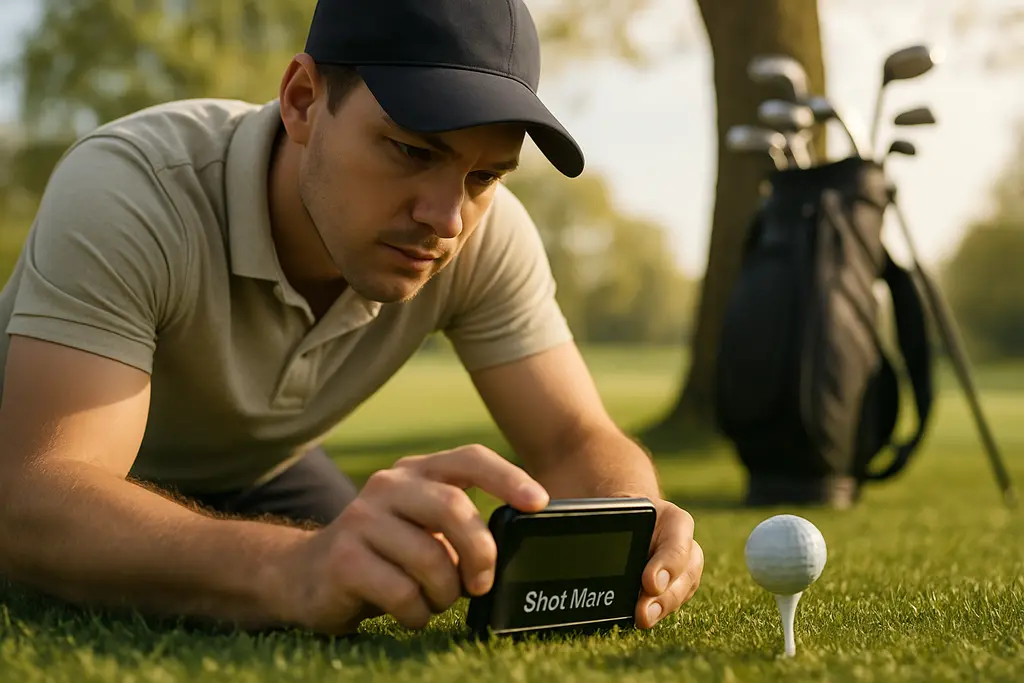
The GolfBuddy Shot Mate is aimed at the golfer who wants useful launch-monitor feedback without taking on a full simulator setup, app account, or subscription. For a beginner, that matters. Early practice gets better when you know basic carry gaps, ball speed, club speed, and whether your driver numbers look wildly different from your 7-iron numbers. It does not replace a full fitting bay, but it can give a new player a cleaner starting point than guessing from range flags.
From a fitting-first view, the appeal is not that a small radar unit solves every equipment question. It does not. The appeal is that it gives entry-level feedback at a price many golfers can understand before they spend on a full bag, a premium launch monitor, or a lesson package. Golfio lists the device in GolfBuddy’s launch-monitor range, with the Shot Mate positioned at a $179.99 U.S. MSRP on the GolfBuddy range at Golfio. UK coverage has placed it around £150, which keeps it in the budget training-aid bracket rather than the serious studio-equipment bracket.
GolfBuddy Shot Mate Price And Setup
GolfBuddy Shot Mate For First Yardage Work
The GolfBuddy Shot Mate makes the most sense as a first yardage tool. It records core numbers: clubhead speed, ball speed, smash factor, carry distance, and total distance. It also has a Practice Swing Mode for measuring club speed without hitting a ball. That is enough for a beginner to start learning whether a 9-iron really carries farther than a wedge, whether a hybrid fits between fairway wood and mid-iron, and whether swing-speed work is showing any pattern over time.
The setup is simple by design. There are no app connections, Wi-Fi links, Bluetooth pairing steps, or subscription layers. The data shows on the built-in display. That can feel basic beside a premium launch monitor, but for a new golfer it removes a common friction point: too much setup before the first swing. Manual club selection is handled with buttons, then the unit sits behind the hitting area.
Placement Matters More Than The Box Suggests
Shot data is only as useful as the setup behind it. Independent testing described the unit as using angle-based Doppler radar with a 24 GHz K-band radar sensor, and it recommended placement about 1.0 to 1.5 meters behind the ball, raised slightly by about 25 mm for best results Shot Mate test notes. That is the kind of small detail beginners often miss. If the monitor is too low, too close, crooked, or aimed across the target line, the numbers can drift before the golfer has done anything wrong.
Portability is part of the value. The reported weight is roughly 131 grams, with an integrated kickstand and a bottom quarter-inch tripod thread. Battery life is listed at about five hours per charge through USB-C, and internal storage is reported around 500 to 1,000 shots. Those numbers make it more of a range-bag tool than a permanent simulator unit.
What The Numbers Can And Cannot Tell You
Short Clubs Are The Stronger Use Case
The most useful beginner task is building carry-distance awareness from wedges through mid-irons. The research available on this unit points the same way. In comparison testing against higher-end devices such as FlightScope Mevo Gen 2, short clubs and irons were generally close, with ball speed often within 1 to 2 mph and carry distance often within 1 to 5 yards. For a starter device, that is the lane where it has the most value.
That does not mean every shot should be treated as a permanent gapping number. A beginner still needs to throw out obvious mishits, use enough shots to see a pattern, and separate carry from total distance. Carry is the cleaner number for club selection because it tells you how far the ball flew before ground conditions took over. Total distance can be helpful, but it is more sensitive to turf, landing angle, spin, and rollout assumptions.
Driver And Woods Need More Caution
The caution flag comes with longer clubs. The research notes that discrepancies grow with woods and driver, and rollout or total distance can be over-estimated. That is not unusual for a compact budget radar device, but it affects how you should use it. If a driver total says something flattering, do not build a buying decision around that one number. Look at ball speed trends, strike quality, and carry distance first.
In an in-shop setting, I would treat driver numbers from this type of monitor as a conversation starter, not the final say on shaft, loft, or head choice. A fitter still wants launch angle, spin rate, descent, face-to-path information where available, strike pattern, and dispersion. The GolfBuddy Shot Mate does not provide all of that. It gives a beginner a useful first read, then a fitter can add the deeper data when the club decision has real cost attached.
Where This Budget Launch Monitor Fits
For a newer golfer, the best launch monitor is not always the one with the longest feature list. It is the one you will actually set up, use, and understand. A device with no app, no subscription, and a small set of visible metrics can be a better teacher than a more expensive screen full of numbers you are not ready to use.
The GolfBuddy Shot Mate fits three beginner jobs well. First, it helps establish basic carry gaps. Second, it gives a simple way to track club speed during practice. Third, it gives enough ball-speed feedback to help you spot whether contact is improving or getting worse. None of that guarantees lower scores, but it can support better practice choices.
- Good fit: beginners, mid-to-high handicap golfers, range practice, wedge-to-iron carry checks, and swing-speed awareness.
- Use caution: driver fitting, fairway-wood total distance, simulator-style sessions, and club purchases based on one session.
- Not the same as a full fitting: it does not replace a studio launch monitor, full dispersion chart, lie/loft checks, or shaft testing.
If you are already comparing different practice tools, our broader piece on golf data tools that fit is a useful next read because it separates launch monitors, sensors, rangefinders, and GPS tools by job rather than hype.
Beginner Buying Questions To Ask First
Do You Need Data Or Direction?
A new golfer can collect numbers and still practice poorly. Before buying any monitor, ask what question you want answered. “How far does my 8-iron carry?” is a good question. “Am I faster with this swing feel?” is a good question. “Which driver shaft should I buy?” is usually too big for this level of device on its own.
That is where practical pricing transparency helps. A $179.99 MSRP training tool has a different job than a premium fitting monitor. If you buy it for basic feedback, the value can be clear. If you expect full driver-fitting data, you are asking it to do work outside its strongest use case.
How I Would Test It At The Range
Start with wedges and short irons. Hit ten shots with one club, remove the clear mishits, and write down the carry range rather than only the longest ball. Then repeat with a mid-iron and hybrid. For driver, treat the data as a trend check. If ball speed rises over several sessions, that may suggest progress. If total distance jumps on one swing, be careful before believing it.
Keep the monitor square, behind the ball, and slightly raised as recommended. Use the same ball type where possible, and avoid mixing range mats, damp turf, and random limited-flight balls into one comparison. A budget launch monitor can be helpful, but clean testing habits matter.
For readers who follow more than golf gear, our network also includes sports analysis, but club data has its own rule: match the tool to the decision. A simple swing-speed and carry monitor can be enough for practice. A paid fitting still deserves deeper evidence.
GolfBuddy Shot Mate Buying Fit
The GolfBuddy Shot Mate is best viewed as an affordable starter monitor, not a shortcut to a full equipment diagnosis. It gives beginners visible feedback on speed and distance, keeps setup simple, and avoids ongoing app or subscription costs. That is a strong combination for golfers who want to stop guessing at range practice.
The tradeoff is also clear. Long-club totals need caution, and the unit does not supply the full data set a fitter would want for a driver, shaft, or full-bag recommendation. If you use it for wedges, irons, carry gaps, and swing-speed awareness, it fits the job. If you use it as the only evidence for an expensive club change, you are stretching it too far.